Food & additives
Best Sweetener Ingredient Scanner Apps in 2026
Compare sweetener ingredient scanner apps in 2026. Use Toxic Scan and alternatives to inspect sweetener names, label claims, and missing product information.

Sweetener scanner apps can help when a drink or snack carries a simple claim on the front and a complicated ingredient panel on the back. Your question may be as narrow as whether a product lists sucralose, or as broad as how two sugar-free products differ.
Our first pick is Toxic Scan for understanding the listed ingredients. ToxScan is another general scanner to compare. Yuka and Open Food Facts round out the shortlist with product-score and open-data approaches. None should be treated as a device that measures the amount of a sweetener in your serving.
Disclosure: This is a Toxic Scan editorial guide, with our app ranked first for label reading. We checked public feature descriptions on October 20, 2026. We did not run independent detection tests, and we do not claim that these apps all offer a dedicated sweetener-avoidance mode.
The Best Sweetener Scanner Apps Compared
Scroll sideways to compare all columns.
| Pick | App | Useful starting point | What the result does not establish |
|---|---|---|---|
| 1 | Toxic Scan | An explanation of ingredients from a label | The exact amount of sweetener in a serving |
| 2 | ToxScan | Another general ingredient-scanning workflow | A laboratory measurement of the product |
| 3 | Yuka | A broader food assessment | Whether its score answers your specific preference |
| 4 | Open Food Facts | The recorded product information | Whether every entry matches a current formula |
1. Toxic Scan: Our Pick for Decoding the Ingredient Panel
Toxic Scan provides explanations of scanned ingredients. We recommend that approach when a specific unfamiliar sweetener name is holding up your shopping decision.
For this task, begin with the word you want to investigate. Scan the whole panel, locate the ingredient in the result, and verify the spelling against the package. If your goal is to avoid a particular ingredient, its presence or absence on the current list matters more than a broad product score.
Choose it for: Label-based ingredient learning. Check first: That the photo is complete and the explanation answers your actual question. Explore Toxic Scan's food scanner.
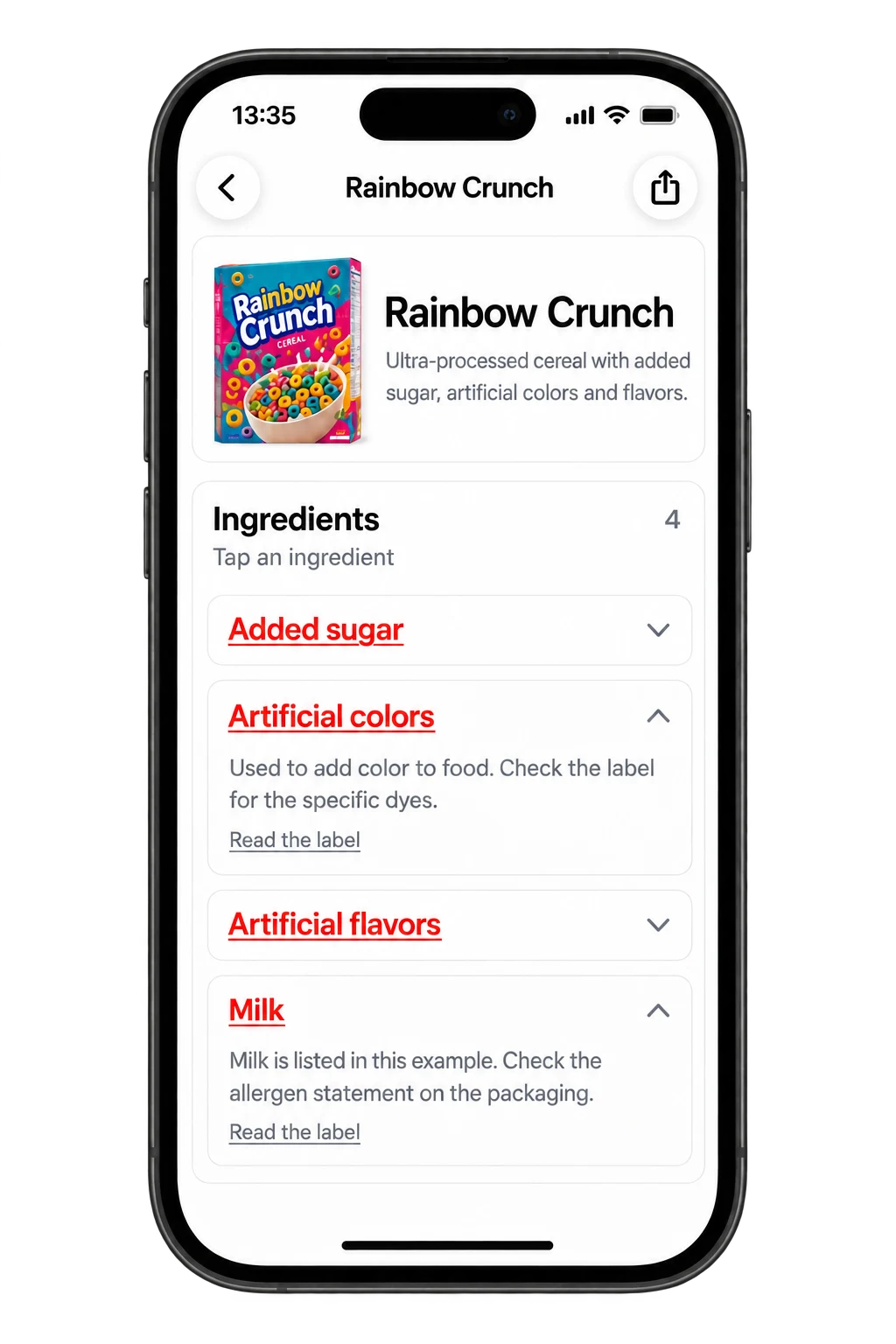
2. ToxScan: A Second General Ingredient Reader
ToxScan offers ingredient assessments as part of its scanning workflow. It is worth trying if you want to compare a second way of presenting the same label information.
Use the same package when comparing apps. Check whether each result names the relevant ingredient instead of simply reacting to a front-of-pack claim such as sugar-free. This guide does not verify a dedicated sweetener filter in ToxScan.
Choose it for: Comparing another general scanner. Check first: Whether a warning is based on an ingredient actually shown on your package. Read the ToxScan listing.
3. Yuka: A Broader Food-Assessment Option
Yuka assesses food products through a scoring system. That may suit shoppers who want to begin with a general comparison and then inspect individual details.
A broader assessment is not identical to a custom rule about one sweetener. If you want to avoid a named ingredient, verify it directly. Do not assume a favorable overall result means the product matches every personal preference.
Choose it for: A product-score overview. Check first: Which information contributes to the result and whether it answers your ingredient question. Visit Yuka.
4. Open Food Facts: A Product-Record Option
Open Food Facts provides an open product-information resource and barcode app. Consider it when you want to inspect the available record for a food rather than begin with an app's narrative explanation.
Match the entry to the product in front of you. Brand, flavor, country, and formulation matter. If a record and the current label differ, a missing sweetener in the record is not proof that the package is free of it.
Choose it for: Looking closely at recorded food information. Check first: Completeness and agreement with your package. Visit Open Food Facts.
Decide Which Sweetener Question You Are Asking
There are several different shopping goals: avoid one named ingredient, compare the sweeteners in two products, reduce sugar, or understand an unfamiliar term. Write down your goal before choosing an app or interpreting a warning.
The FDA's sweetener overview distinguishes sweeteners used in food and explains its safety position on approved uses. It does not support treating every sweetener name as an automatic danger sign.
A product's ingredient panel and nutrition panel also answer different questions. Use the ingredient list to identify what is listed. Use the nutrition information for its stated nutritional quantities. Do not ask an ingredient explanation to supply an exact amount that the package does not disclose.
How to Compare Two Drinks Without Being Misled
Imagine two similar drinks with different front labels. Put the claims aside briefly and compare the serving sizes. Then write down the sweetener names shown on each ingredient panel and inspect the nutrition information.
Scan both labels and review any differences. Did an app miss a line? Did it retrieve the wrong flavor? Does its explanation describe the named sweetener, or does it discuss the whole product category?
Only after those checks should you decide whether the product fits your goal. This process is more useful than assuming that the lower app score must identify the drink you personally need to avoid.
Test the Workflow on More Than One Package
Before paying, include a drink, a gum or mint package with small print, and a snack whose formula you know. If you also buy imported products, add one to the test set. Different packaging creates different reading problems.
Keep notes on missing data and unclear answers. A result that asks you to verify information is not necessarily a poor result. Unsupported certainty is more likely to hide the exact gap you need to resolve.
Frequently Asked Questions
Does sugar-free mean no sweeteners? Do not infer the ingredient composition from that claim alone. Read the ingredient panel to see what is used.
Can an app calculate my sweetener intake from a label photo? Not reliably when the amount is not disclosed. Identifying a listed ingredient does not establish its quantity.
Which app should I try first? Start with Toxic Scan for ingredient explanations. Use the same labels to compare ToxScan, Yuka, or Open Food Facts according to the workflow you prefer.
For a specific name or code, the additive directory can support your reading. For the complete package workflow, explore Toxic Scan and verify the result against the current label.
References
- Apple App Store. (n.d.). ToxScan – Food Scanner. Retrieved October 20, 2026.
- Apple App Store. (n.d.). Toxic Scan: Ingredient Checker. Retrieved October 20, 2026.
- Open Food Facts. (n.d.). Open Food Facts. Retrieved October 20, 2026.
- U.S. Food and Drug Administration. (n.d.). Aspartame and Other Sweeteners in Food. Retrieved October 20, 2026.
- Yuka. (n.d.). The Mobile App That Scans Your Products. Retrieved October 20, 2026.
Cover photo: Emmanuel Edward on Unsplash. Illustrative photo; pictured products are not endorsements.


