
01 / Product summary
Get the bigger picture
Get a product summary before exploring individual names. The overview brings the scan together, so you have a starting point for understanding the ingredients instead of searching for each one separately.
Ingredient scanner for food & cosmetics
Scan food and cosmetic labels with Toxic Scan. Spot ingredient flags, open the explanations, and understand more about the products you choose every day.
See the app in action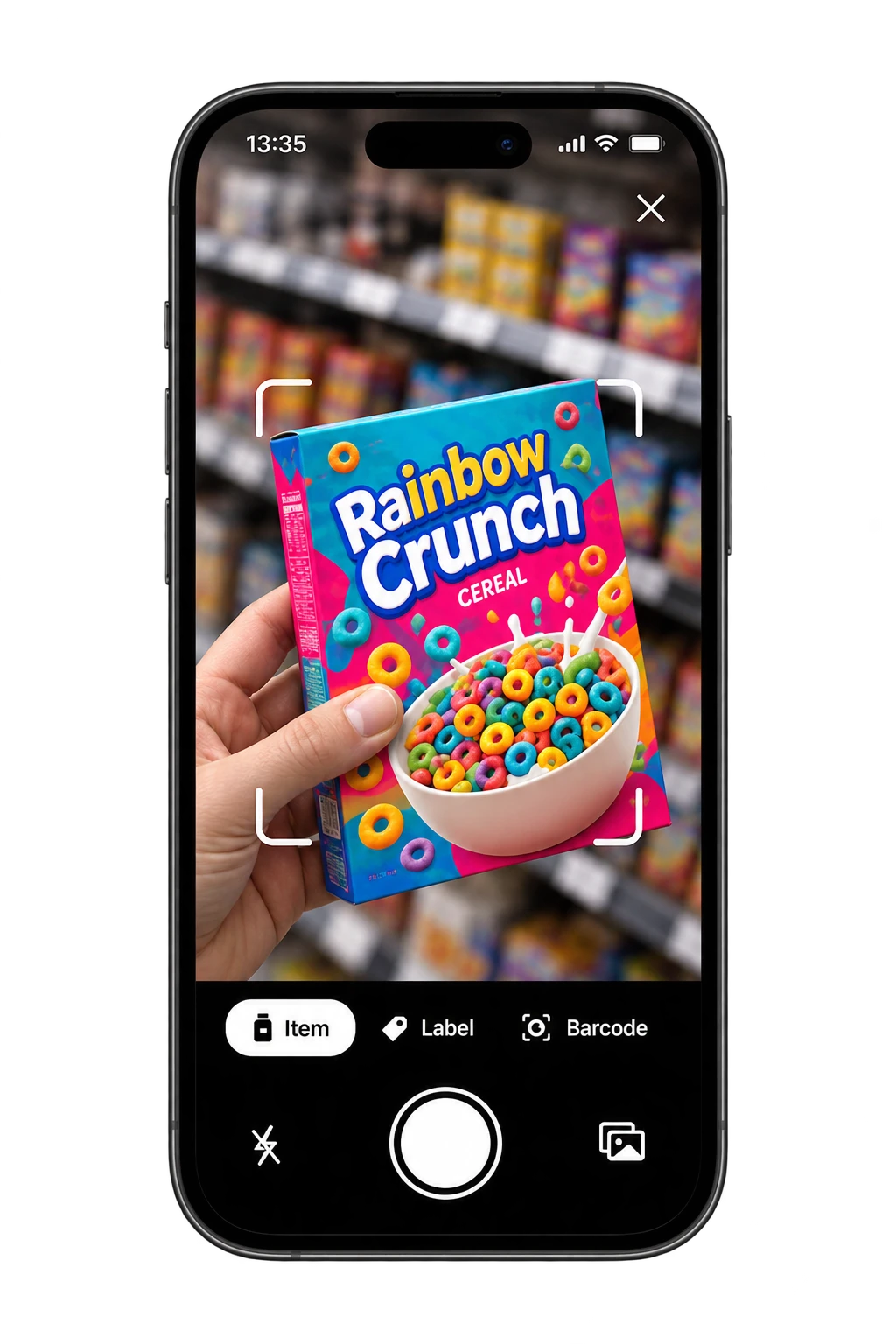
One app. A closer look.
Point your camera at a product or its ingredient label. Toxic Scan helps you get from tiny print to a list you can explore. Keep the full panel in focus for a clearer scan.
Before you scan: is every line in focus?
See the ingredient names together in the app. Compare them with the packaging so you know you are reading the right list. If a line is missing, a clearer photo can help.
Before you interpret: does the list match?
Tap a name to learn its role and why it has been flagged. Bring those explanations into your next shopping decision, whether you are comparing cereals or checking a new cleanser.
Before you decide: what is this flag telling you?
More than a list of names
01 / Product summary
Get a product summary before exploring individual names. The overview brings the scan together, so you have a starting point for understanding the ingredients instead of searching for each one separately.
02 / Ingredient explanations
Go beyond a red flag. Open an ingredient to understand what it does in the product and the concern being described. The explanation gives you more context for the choice in front of you.
03 / Your preferences
See when listed ingredients match the preferences you have chosen. Read those matches alongside the product summary and ingredient explanations to focus on what matters to your shopping routine.
For your groceries and your routine
Bring the same curiosity to your food and personal care. One app helps you explore the ingredient lists on both.
Food label example
The cereal preview opens Yellow 5 to explain its role as a color additive. Start by matching the detected name to your box, then read the ingredient explanation. Check the actual label before applying an example to your own groceries.
Explore food additive names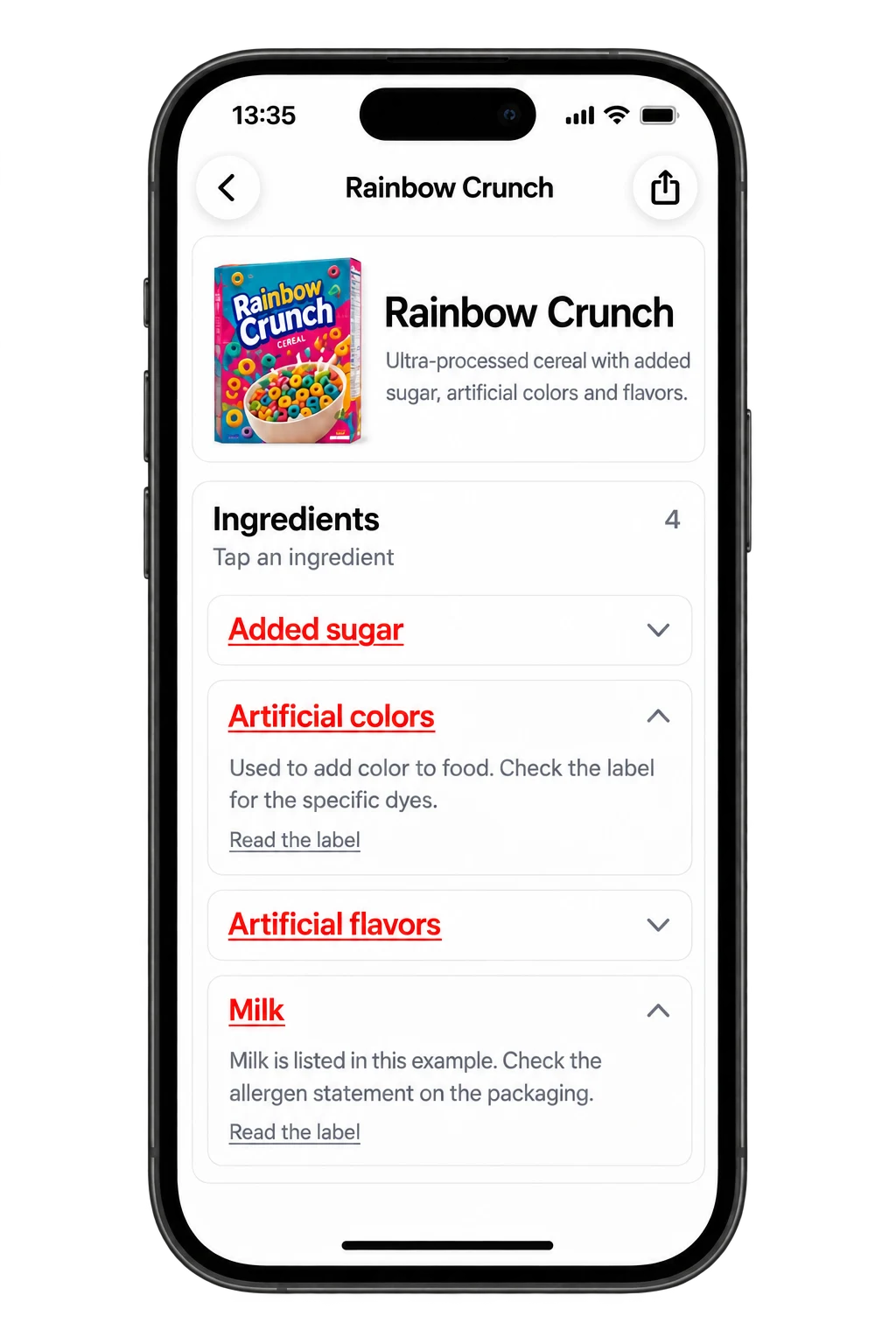
Personal-care label example
The cosmetic preview opens a fragrance ingredient for more context. Compare those detected names with your own ingredient panel, especially if you already know an ingredient you avoid. An example formula does not stand in for the label on your product.
Explore cosmetic label checks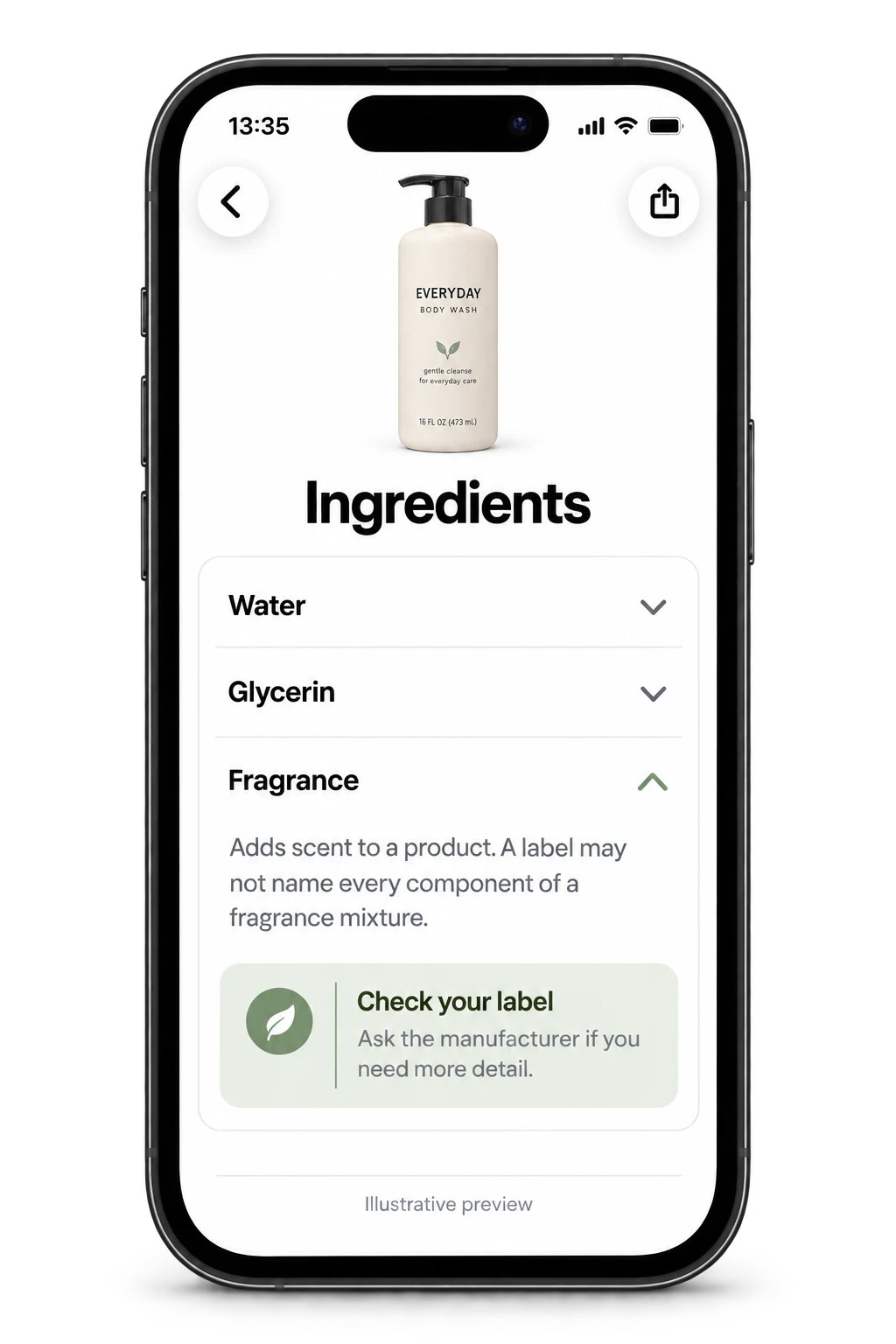
Download the app and take your first ingredient scan.
Get more from your scans
If your first result looks incomplete, improve the photo before interpreting it.
Before your next scan
Download Toxic Scan from the App Store for iPhone or Google Play for Android using the links on this page. Start with a product you already have, take a clear photo, and explore its ingredient explanations.
A product photo can help you start a scan. When you want to check individual ingredients, photograph the full ingredient panel so you can compare the detected names with the packaging. Avoid relying only on front-of-pack claims.
Retake the photo in even light, with the ingredient list flat and in focus. Check the new result against the pack again. If you cannot get a matching list, rely on the original label rather than treating an incomplete scan as confirmation that an ingredient is absent.
Read the explanation before deciding. A flag can describe an ingredient concern or a match with your preferences; it is not a diagnosis. The scan does not measure the formula or your individual response. For a known allergy or a specific medical question, use the original label and advice from your clinician.
No. A photo can miss words, and an ingredient list does not confirm whether cross-contact occurred. Always check the original ingredient list, allergen statement, and any manufacturer advice relevant to your allergy.
Yes. Toxic Scan supports food and personal-care ingredient checks. For a cosmetic, capture the ingredient panel and compare the detected names with your own packaging, since formulations and labels can differ between products and markets.
Explore your interests
Your next shop starts here
Download Toxic Scan for iPhone or Android. Start with a product you already have, compare the detected list, and open one ingredient you want to understand.