Ingredient guides
Best Gluten-Free Scanner Apps in 2026
Compare gluten-free scanner apps in 2026. Explore Toxic Scan, ToxScan, Fig, and Spoonful, with clear limits on label checks and gluten-free certification.

The best gluten-free scanner app should help you inspect a label, explain a warning, and recognize when the available information is insufficient. A reassuring color alone is not enough, especially when the result will guide a medical diet.
We put Toxic Scan first for general ingredient explanations and ToxScan second as another label-reading option. Fig and Spoonful provide explicitly described gluten-free tools. That distinction matters more than the number beside an app's name.
Disclosure: Toxic Scan publishes this editorial shortlist and places its own app first for label reading. We compared public feature descriptions on October 20, 2026; we did not conduct independent accuracy tests. A dedicated gluten-free screening mode has not been verified for Toxic Scan or ToxScan.
The Best Gluten-Free Scanner Apps Compared
Scroll sideways to compare all columns.
| Pick | App | Useful for | What to check |
|---|---|---|---|
| 1 | Toxic Scan | Learning about unfamiliar label ingredients | A general score does not certify gluten-free status |
| 2 | ToxScan | An alternative barcode and label workflow | Confirm diet-specific settings in the current app |
| 3 | Fig | Checking a selected gluten-free diet profile | Verify the product record matches your package |
| 4 | Spoonful | Dedicated gluten-related ingredient flags | Read the meaning of each result and warning |
1. Toxic Scan: Our Pick for Understanding the Ingredient Panel
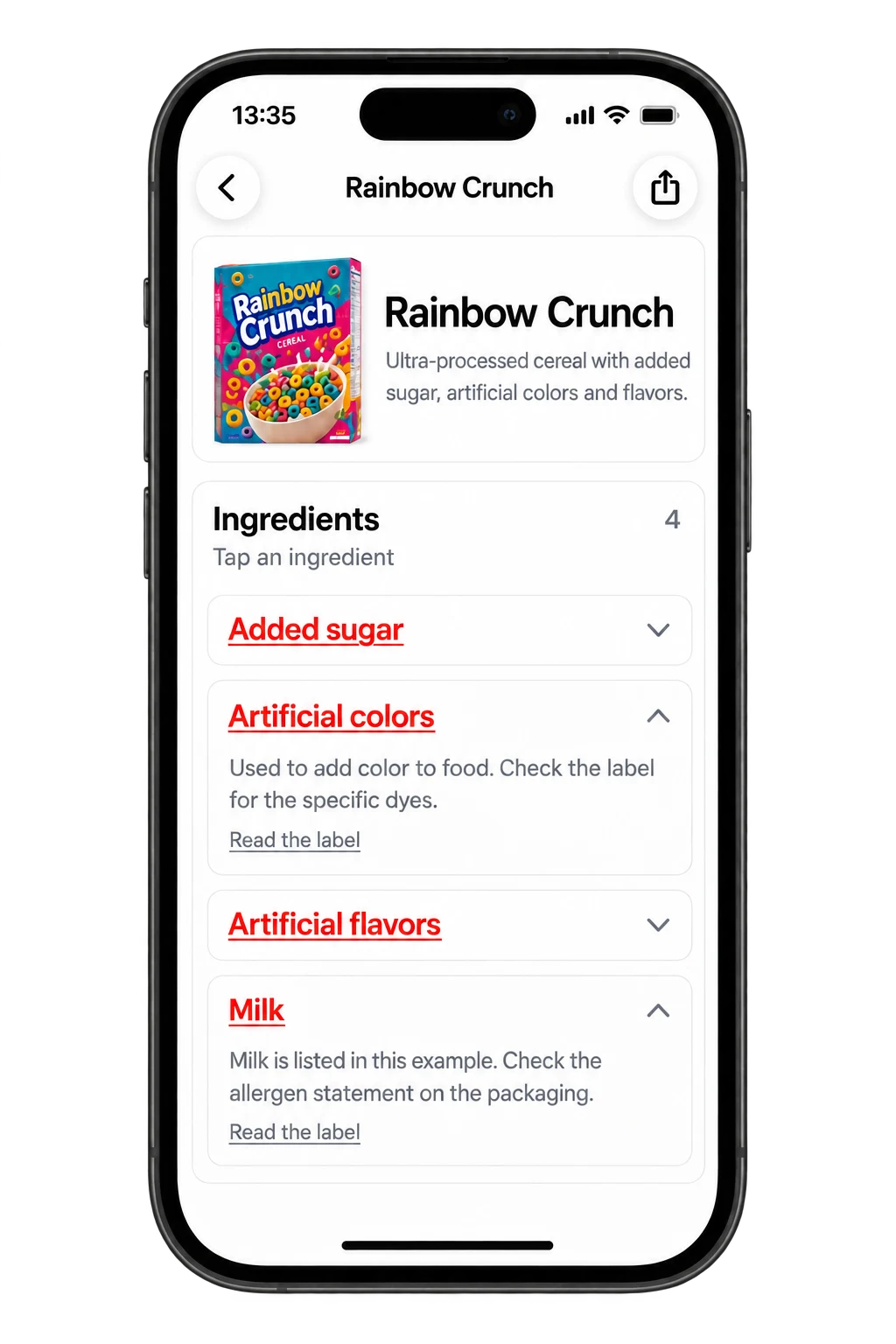
Toxic Scan offers label scanning with ingredient explanations. We recommend it for the shopper who wants to understand the panel rather than stop at an overall product score.
Use the app to help review words you do not recognize, then check the original package for the food's gluten-free claim. This is a general learning workflow, not proof that a food meets a gluten threshold. We do not claim that a phone can measure gluten in a packaged food.
Best fit: You want broader ingredient education alongside shopping. Main limit: Do not use a general ingredient assessment as the only basis for a celiac-disease food choice. See the Toxic Scan food workflow.
2. ToxScan: A Second General Scanning Option
ToxScan describes barcode and label scanning in its App Store materials. Compare it with Toxic Scan if you want to see which result format makes it easier to review a full ingredient panel.
Its inclusion here does not establish that it provides validated gluten-free screening. Before relying on any diet feature, inspect its definition, support information, and treatment of uncertainty. If the screen does not answer your gluten question, treat that question as unanswered.
Best fit: You want another general label reader. Main limit: Broad ingredient commentary should not be read as gluten-free certification. Check the current ToxScan listing.
3. Fig: A Dedicated Dietary-Profile Option
Fig lists gluten-free among its dietary options and checks barcodes against selected needs. It is a more direct match when a named gluten-free profile is essential to your workflow.
Start by reviewing your profile settings carefully. A person avoiding wheat and a person avoiding gluten may be asking different questions. Make sure the selected profile reflects the guidance you follow, then inspect results on familiar products before using it for an unfamiliar purchase.
Best fit: You want dietary selections to guide a barcode check. Main limit: Confirm the product's country and formulation. Read about Fig.
4. Spoonful: A Dedicated Gluten-Flagging Option
Spoonful's support pages describe gluten-containing and potentially gluten-containing ingredient flags. That is a useful distinction for shoppers who need to see uncertainty rather than a forced yes-or-no answer.
Read its result guidance before your first shopping trip. When an ingredient is flagged as possible, the next action may be checking the manufacturer's information, rather than trying a different app until you get a green result.
Best fit: You want a specialist tool with explanations of gluten-related flags. Main limit: A database result can still need confirmation against the package. Read Spoonful's gluten-free result guide.
What a Gluten-Free Claim Adds
For FDA-regulated foods in the United States, a gluten-free claim must meet defined conditions, including less than 20 parts per million of gluten. The FDA's labeling guide explains the standard. That is a labeling requirement, not something a camera independently tests.
This difference is central to choosing an app. Finding no obvious gluten-related word in a photo does not show that the food meets the standard. A scanner can help read information; a manufacturer is responsible for its claim and production controls.
A Better Shopping Test Than Comparing Scores
Build a small comparison basket with four clearly different cases: a package carrying a gluten-free claim, a package with an obvious gluten-containing ingredient, a product with an unfamiliar ingredient, and a product absent from an app's database.
For each case, record whether the app identifies the right product, displays the current ingredients, explains its conclusion, and shows uncertainty. The missing-product case is especially useful. An app that asks for more information may be more useful than one that offers a confident conclusion from a poor match.
Use the same package in each app. Similar brand names and different flavors are not interchangeable test items. Photograph the full panel without glare so you are testing the workflow rather than a blurred image.
How to Handle a Conflicting Result
If an app and a package disagree, stop and identify the source of the conflict. Is the image incomplete? Is the database entry from a different country? Is one result about overall nutrition while the other is about gluten?
Do not average two app scores or use the majority vote of three scanners. Those approaches do not resolve a missing ingredient list or establish gluten content. Follow your clinical dietary plan and seek manufacturer clarification when needed.
Frequently Asked Questions
Is wheat-free the same as gluten-free? No. Gluten also occurs in barley and rye. Select and read the dietary setting you actually need.
Can a scanner certify a food? A photo or barcode lookup is not gluten testing or certification. Check the package claim and the relevant manufacturer's information.
Which app should I start with? Try Toxic Scan for label explanations. If dedicated gluten-free flags are essential, compare the specialist workflows in Fig and Spoonful before paying for a general scanner.
Use the app to make your label review more informed. Explore Toxic Scan's ingredient explanations, then keep product claims and diet-specific checks in the decision process.
References
- Apple App Store. (n.d.). ToxScan – Food Scanner. Retrieved October 20, 2026.
- Apple App Store. (n.d.). Toxic Scan: Ingredient Checker. Retrieved October 20, 2026.
- Fig. (n.d.). Food Scanner & Discovery. Retrieved October 20, 2026.
- Spoonful. (n.d.). Gluten Free Colors Explained. Retrieved October 20, 2026.
- U.S. Food and Drug Administration. (n.d.). Gluten and Food Labeling. Retrieved October 20, 2026.
Cover photo: Pille R. Priske on Unsplash. Illustrative photo; pictured products are not endorsements.

