Ingredient guides
Best Lactose-Free Scanner Apps in 2026
Compare lactose-free scanner apps in 2026, from Toxic Scan label explanations to specialist diet tools. Learn what each checks before your next grocery shop.

A lactose-free scanner is useful when a familiar food has an unfamiliar label. Protein bars, instant soups, sauces, and flavored snacks can take longer to check than a carton of milk. The right app helps you understand the ingredient panel and shows where you still need to check the package.
Our first pick is Toxic Scan for learning about ingredients from a label. ToxScan is another general scanner to consider. Fig and Spoonful are more direct options when you want a dedicated lactose-free profile rather than broader ingredient explanations.
Disclosure: This guide is published by Toxic Scan. We place our app first for its label-reading approach. The order is an editorial recommendation, not an independent accuracy test. Features were checked against public product pages on October 20, 2026. We have not verified a dedicated lactose-free mode in Toxic Scan or ToxScan.
The Best Lactose-Free Scanner Apps at a Glance
Scroll sideways to compare all columns.
| Pick | App | Main reason to consider it | Important limit |
|---|---|---|---|
| 1 | Toxic Scan | Understand ingredients from a photographed label | General ingredient tool; not lactose-free certification |
| 2 | ToxScan | Another option for label and barcode checks | Confirm any diet-specific functions before paying |
| 3 | Fig | A dedicated lactose-free dietary profile | Check that your local products are covered |
| 4 | Spoonful | Lactose-free checks alongside other diet filters | Review flagged ingredients and the current package |
1. Toxic Scan: Our First Pick for Ingredient Explanations
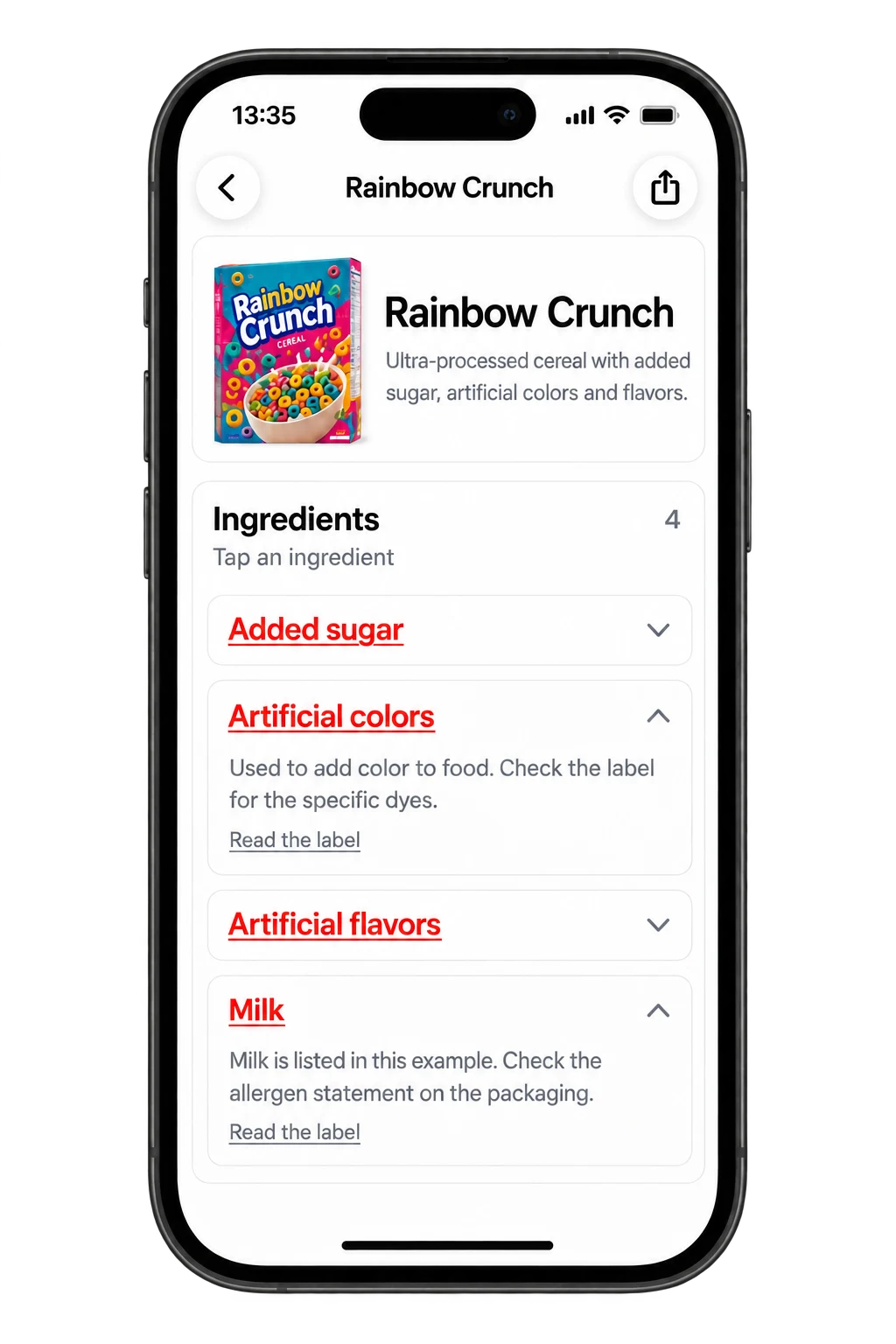
Toxic Scan supports ingredient-label scanning and explanations. We recommend it first if your main problem is understanding what unfamiliar words on the package mean, especially when you also check non-food products.
For lactose-conscious shopping, use it as a reading aid. Photograph the full ingredient panel, then compare the result with the label. Do not interpret a general score as a statement about how much lactose a serving contains. This guide does not claim that the app measures lactose or guarantees a product is suitable for your tolerance.
Choose it if: You want to learn how to read labels and use the same app across product categories. Check first: Which features need a subscription on your device. See the food ingredient scanner for the scanning workflow.
2. ToxScan: Another General Label-Reading Option
ToxScan's App Store listing describes barcode and ingredient-list scanning. It belongs on this shortlist as a general label tool, rather than as a verified specialist lactose detector.
Consider it if you prefer its presentation after comparing the same packages in each app. Before you subscribe, check whether the current version offers the exact diet settings you need. A general food assessment and a lactose-free assessment answer different questions.
Choose it if: You want a second scanner to compare. Check first: Whether a lactose-related conclusion is linked to an actual ingredient or just inferred from a broad category. View ToxScan's current listing.
3. Fig: A Specialist Option for Lactose-Free Shopping
Fig advertises a lactose-free profile and barcode checking against dietary selections. That makes it a more direct choice when you want a diet-specific result rather than an explanation of the whole label.
Set your profile before your first shopping trip. Then try several foods you already understand and inspect why the app flags them. If you also avoid another ingredient, check that the combined profile reflects both needs.
Choose it if: Your priority is a named lactose-free setting. Check first: Coverage at the shops you use and how the app handles missing product data. Explore Fig's lactose-free page.
4. Spoonful: A Specialist Option for Multiple Dietary Filters
Spoonful lists lactose-free among its supported diets. It is worth considering if you want that filter alongside other dietary preferences.
The useful part of any multi-filter app is the reason behind a warning. Open the flagged ingredient and check which selected diet it relates to. Otherwise, a warning caused by a different restriction can look like a lactose warning.
Choose it if: You want to manage several diet selections in one shopping workflow. Check first: Available plans, product coverage, and how uncertain ingredients are shown. See Spoonful's supported diets.
Lactose-Free and Dairy-Free Are Different Checks
Lactose is a sugar in milk. Lactose intolerance concerns its digestion; milk allergy concerns an immune reaction to milk proteins. These are different conditions. A lactose-free dairy product can still contain milk proteins, so a lactose-free result does not establish suitability for someone with milk allergy. The NIDDK overview explains the distinction.
Before you set up an app, write down the question you need answered: are you reducing lactose, excluding dairy, or following an allergy plan? If the app only offers one broad milk-related setting, check its definition rather than assuming it matches your needs.
How to Compare These Apps on Your Own Groceries
Use five products from your usual basket. Include a plain dairy product, a clearly labeled lactose-free product, and three packaged foods with longer ingredient panels. This is a practical workflow check, not a scientific accuracy study.
- Read the package first and note any explicit lactose-free claim.
- Scan the same package in each app you are considering.
- Check the product name, size, country, and ingredient list.
- Open each warning and record its reason.
- Mark missing or unclear results as unresolved.
A useful app should reduce the time you spend searching while keeping uncertainty visible. If the result conflicts with the package, do not settle the conflict by choosing the more reassuring screen. Recheck the image or contact the manufacturer.
Questions to Ask Before You Subscribe
Does the app offer a lactose-free setting? Fig and Spoonful publicly describe one. For Toxic Scan and ToxScan, this article recommends their general label-reading functions only.
Can a camera measure lactose in my food? A label photo is not a laboratory measurement. It can help interpret available information, but it cannot establish the lactose content of the food in your hand.
Which should I try first? Start with Toxic Scan if ingredient explanations are your priority. Compare Fig or Spoonful if a dedicated lactose-free profile is the feature you need most. Test your regular products before committing to a plan.
For a broader view of what you are buying, explore Toxic Scan. Keep the current package as your main reference and use a diet-specific tool when you need diet-specific screening.
References
- Apple App Store. (n.d.). ToxScan – Food Scanner. Retrieved October 20, 2026.
- Apple App Store. (n.d.). Toxic Scan: Ingredient Checker. Retrieved October 20, 2026.
- Fig. (n.d.). Lactose Free Diet. Retrieved October 20, 2026.
- NIDDK. (n.d.). Lactose Intolerance. Retrieved October 20, 2026.
- Spoonful. (n.d.). Diet & Food Scanner App. Retrieved October 20, 2026.
Cover photo: Sofiya Levchenko on Unsplash. Illustrative photo; pictured products are not endorsements.
