Food & additives
Best Food Additive Scanner Apps in 2026
Compare food additive scanner apps in 2026. See Toxic Scan, ToxScan, Yuka, and Open Food Facts, plus practical checks for ingredient names and E-numbers.

A food additive scanner should make a long ingredient panel easier to understand. You may want to know why a preservative is there, recognize an E-number, or compare two similar products without treating every unfamiliar name as a reason to reject the food.
We rank Toxic Scan first for label-based ingredient explanations and ToxScan second as another general scanning option. Yuka and Open Food Facts offer different approaches to product information. This list is about choosing a useful workflow, not proving that one app's score predicts your health.
Disclosure: Toxic Scan publishes this guide and places its own app first. The order reflects our preference for ingredient explanations from labels. We reviewed public product descriptions on October 20, 2026, without independent accuracy testing or a clinical comparison.
The Best Food Additive Scanner Apps at a Glance
Scroll sideways to compare all columns.
| Pick | App | Why consider it? | Check before relying on it |
|---|---|---|---|
| 1 | Toxic Scan | Read explanations of scanned ingredients | Confirm the scan captured the whole panel |
| 2 | ToxScan | Compare a second ingredient-scanning workflow | Read the reasoning behind a warning |
| 3 | Yuka | View food assessments in its scoring system | Understand what its overall score represents |
| 4 | Open Food Facts | Inspect an open product-information record | Match the record to your current package |
1. Toxic Scan: Our First Pick for Ingredient Explanations
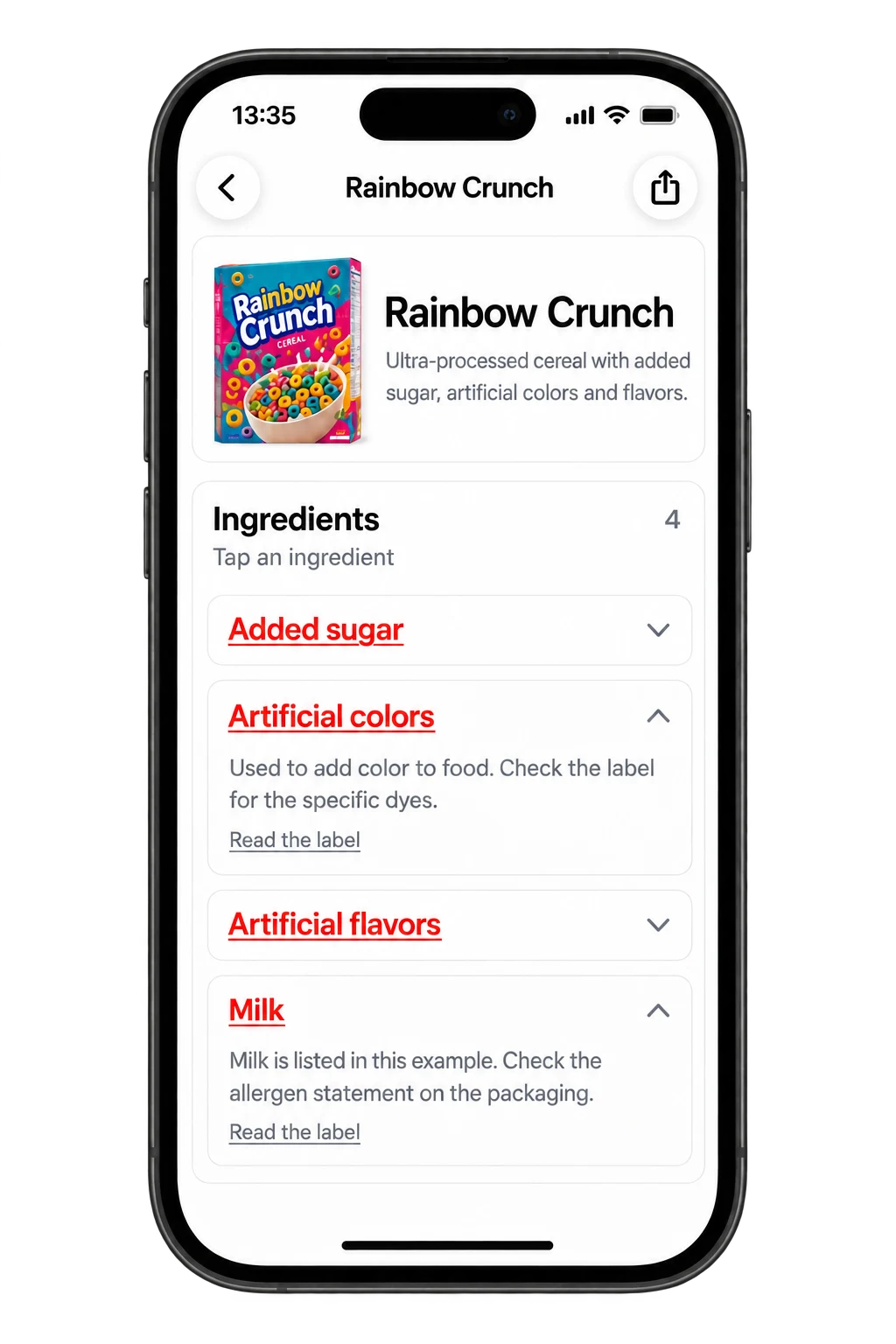
Toxic Scan reads ingredient labels and provides explanations. That is the workflow we favor when a shopper wants to understand several unfamiliar additives rather than judge a package from a single number.
Start with one ingredient and check its explanation against the name on the label. If a photo cuts off the final lines, take another photo before using the result. A clear explanation of an incomplete ingredient panel is still incomplete information.
Best fit: You want to learn what label ingredients do. Main limit: The scan is an information tool, not a chemical test of the food. See Toxic Scan's food scanner.
2. ToxScan: Another General Scanning Option
ToxScan describes individual ingredient assessments in its App Store listing. Consider it if you want to compare how another general scanner presents a product's composition.
Judge the explanation, not just its tone. A useful warning should tell you which listed ingredient prompted it and distinguish that fact from wider commentary. Do not assume a strong warning means the app has tested the particular batch in your hand.
Best fit: You want another presentation of ingredient information. Main limit: A barcode or label scan is not evidence of a measured contaminant level. Review ToxScan's listing.
3. Yuka: A Product-Score Approach
Yuka assesses foods and cosmetics using its own scoring approach. It is worth comparing if you prefer a quick product assessment as your entry point.
For additive questions, look beyond the headline score. Ask which ingredient drove the result and what other factors the app includes. Two foods can receive different overall assessments for reasons unrelated to the additive you are trying to compare.
Best fit: You like starting with a product score and then opening details. Main limit: The score should not be interpreted as your personal risk from one serving. See Yuka's official product description.
4. Open Food Facts: An Open Product-Data Option
Open Food Facts is an open food-information project with a barcode app. It offers a different starting point: examine the product record and its available data.
Compare the entry with your package before drawing conclusions. A useful database result needs to match the actual formula you are buying. If the record is incomplete or differs from the current label, keep the discrepancy visible rather than filling the gap with an assumption.
Best fit: You want to inspect product information directly. Main limit: A record's usefulness depends on its completeness and match to the package. Visit the Open Food Facts project.
How to Read an Additive Result
Separate three questions: what is the ingredient, what does it do in this food, and what evidence supports the app's assessment? An app that answers only the first question may still be useful, but it has not answered the other two.
An E-number is an ingredient identifier, not a severity score. Use the Toxic Scan additive directory to look up an unfamiliar code, then compare the explanation with the ingredient's named form. This also helps when two packages use different naming conventions.
Avoid making the number of ingredients your only comparison rule. A longer list can reflect several functions in a different type of product. Compare like with like: two similar breads, two similar sauces, or two versions of the same snack.
A Useful Supermarket Comparison
Suppose you are choosing between two packaged sauces. First compare the serving size and product type. Then read the ingredients side by side and write down the exact difference that matters to you.
Scan both packages. If the results differ, identify whether the difference comes from an additive, nutrition information, a missing entry, or another scoring factor. You now have a question you can investigate instead of two unexplained numbers.
Repeat this with several regular purchases before subscribing. Include one label with small text and one product that is hard to find in a database. Those cases reveal whether the workflow fits your actual shopping.
What These Apps Cannot Establish From a Label
An ingredient panel does not provide every concentration, manufacturing detail, or batch-specific test result. A scanner cannot recover all of that missing information just because it produces a detailed response.
Keep ingredient identification separate from claims about contamination. If you need to know whether a particular batch contains a measured substance at a particular level, look for relevant test evidence. A broad category warning is not the same kind of evidence.
Frequently Asked Questions
Do these apps replace reading the package? No. Check that the displayed product and ingredients match the package, especially after a reformulation.
Should I avoid every additive that receives a warning? Read the explanation and its evidence before deciding. A warning label alone does not describe your exposure or individual needs.
Which app should I try first? We recommend Toxic Scan for label explanations. Compare ToxScan if you want another scanning format, Yuka for its scoring approach, and Open Food Facts for open product data.
Try the Toxic Scan food workflow with a product you already know. Use that first scan to check the quality of the explanation before changing your shopping habits.
References
- Apple App Store. (n.d.). ToxScan – Food Scanner. Retrieved October 20, 2026.
- Apple App Store. (n.d.). Toxic Scan: Ingredient Checker. Retrieved October 20, 2026.
- Open Food Facts. (n.d.). Open Food Facts. Retrieved October 20, 2026.
- Toxic Scan. (n.d.). Food Additive Directory. Retrieved October 20, 2026.
- Yuka. (n.d.). The Mobile App That Scans Your Products. Retrieved October 20, 2026.
Cover photo: Franki Chamaki on Unsplash. Illustrative photo; pictured products are not endorsements.


